

Photographers and creators need storage and backup

that saves your data and time

Banner Background Item
How does Synology NAS help? One-stop media hub Synology gives photographers and video editors professional-grade file management, built-in RAID protection and 24/7 access, online or offline. Unlike external hard drives or cloud-only storage, you get fast, reliable backup and collaboration even when your internet connection goes down. Organize like a pro External drives pile up fast and turn file retrieval into a daily hassle. Synology NAS gives photographers and video editors automated organization, version history and instant search, plus built-in RAID protection that prevents data loss when a hard drive fails. Work from any device Access, edit and share large video files from any browser or app, on desktop or mobile. Built-in versioning tracks edits over time so you can restore deleted files in one click. Add capacity with an expansion unit or Synology C2 cloud storage. No more lost footage Many photographers and video editors start with external hard drives and free cloud storage, solutions that fail you at the worst moment. When a hard drive fails or your internet drops, your files become inaccessible. Network Attached Storage (NAS) solves both problems.
Video editing & motion YouTube & content Photography File sharing
Workflows for video editors Sync footage, start editing fast After a shoot, transfer footage directly to your Synology NAS and generate proxy files on the fly for smoother editing in DaVinci Resolve, Adobe Premiere Pro or any NLE. No manual syncing, no waiting. Edit 4K without dropping frames Boost 4K editing performance with NVMe SSD caching for active projects, while high-capacity HDDs handle long-term storage and archiving. Synology DSM manages both automatically, so DaVinci Resolve and Premiere Pro get the speed they need without filling your SSDs. 4K multi-user editing at full LAN speed Edit 4K and RAW footage directly from your NAS without copying files or waiting on transfers. With 10GbE and 25GbE upgrades, multiple video editors can work from the same footage simultaneously at full LAN speed. Workflows for YouTube & content creators Storage built for upload-heavy workflows YouTube creators and social editors work with massive project libraries: b-roll, raw exports, graphics and music beds that pile up fast. Synology NAS gives you a central home for every project, with enough capacity to keep years of footage organized, searchable and instantly accessible, without the need for cloud downloads or hard drive hunting. Faster exports, more uploads Offload your NLE's disk cache to your NAS and free up your laptop or workstation for rendering. Use NVMe SSD caching on models like DS725+ or DS925+ to keep your active project snappy, while HDDs store everything else. Export once at LAN speeds and let Synology NAS back up and archive while you keep shooting. Share projects without WeTransfer Send a download link to your editor, your client or your brand partner, no file size limits, no expiry, no monthly fees. Synology Drive lets you share any file directly from your NAS with a password-protected link. Your collaborators download at network speed while Synology retains a backup of every version. Workflows for Photographers Your Lightroom catalog, finally organized Store, organize and protect your entire Lightroom catalog smoothly. Import RAW files directly, sync edits across devices, and archive every shoot with instant search and version history, no more juggling a stack of external drives or paying for cloud storage. Fast RAW file access Copy RAW files directly to your NAS and keep your Lightroom catalog local for smooth performance. Browse and edit high-res files over the network at LAN speeds, thanks to native 2.5GE ports on all 25 Plus series NAS devices. Back up and share photos Back up mobile photos automatically with Synology Photos and keep full-resolution RAW files safe without lifting a finger. Share curated client galleries or host a portfolio site directly from your NAS, allowing you to share photos and videos in a customized interface that matches your brand. Workflows for client delivery & collaboration Send files. Without tiered usage. Many subscription-cloud services charge per seat or per gigabyte. Synology NAS makes an ideal cloud replacement for photographers and video editors who want to share content without having to pay extra for large files. Give clients access without giving up control Create password-protected client portals where buyers can review, download or upload files directly. Set per-folder permissions so clients only see what you want them to see. Remote editing without the VPN headache Designated local editors can access shared folders directly in Windows Explorer or Mac Finder, remote users can access via Synology Drive client, all using Synology's built-in security. Once connected, users can safely browse the latest shoots, pull selects and sync project files.
Never lose another shot to a crash Losing footage to a malfunctioning hard drive, accidental deletion or ransomware doesn't have to happen. Backup for everything Synology's professional backup software automatically protects PCs, external drives, cloud files and virtual machines, no per-device licensing required. Instant recovery Point-in-time snapshots let you restore any file version in seconds, including footage you thought was overwritten or lost.
Trusted by content creators

Ash Thorp

“Everything runs off the Synology NAS. I bought it a year or two ago because it’s just so easy to set up and work with and I can even edit off the NAS, which is super easy, super good.”

Ash’s Pick: Synology DS1525+

Ashley Thorp is an illustrator, graphic designer and creative director for feature films, commercial marketing and print.

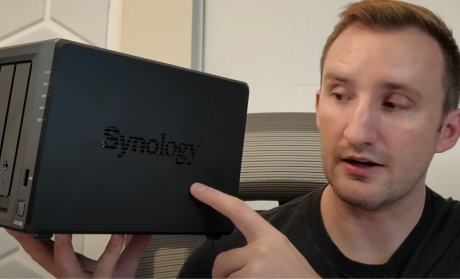
Tech Guy Beau

“Listen, I used to be afraid of NAS products. I used external hard drives because they seemed complicated and difficult to set up. Well not this one. This is a versatile product that even a tech-noob can utilize.“

Beau’s Pick: Synology DS925+

Tech Guy Beau is a YouTube technology reviewer who specializes in user-focused reviews of NAS devices, laptops, mini-PCs and handheld systems, making complex tech accessible from a novice user's perspective.


Definitive Mac Upgrade Guide

“Synology clearly is the better experience as it’s extremely polished and one of the best new-device experiences I’ve ever had, especially as an alternative to the cloud.”

Greg’s Pick: Synology DS925+

Greg Gant is the creator behind the well-known "Definitive Mac Upgrade Guide," which is now known as “dmg”. His guides and YouTube content offer in-depth, practical tutorials for Mac users.

NAS for your creative workflow
Photographers

DS225+

Video Editors & YouTubers

DS1525+

Studios and expansive catalogs

DS1823xs+

Form factor Tower Tower Tower
Internal / fully expanded drive bays 5 / 15 8 / 18 12 / 36
Usable / raw storage capacity 1 72.8 TB / 100 TB 127.3 TB / 160 TB 181.9 TB / 240 TB
Fully expanded usable / raw storage capacity 254.7 TB / 300 TB 309.2 TB / 360 TB 680 TB / 720 TB
Sequential read / write performance (MB/s) 2 696 / 862 935 / 1,370 1,260 / 1,897
Networking 2x 2.5GbE ports, Optional 10GbE RJ-45 2x 2.5GbE ports, Optional 10/25GbE 3x Gigabit, 2x 10GbE RJ-45, Optional 10/25GbE
Ideal for Photo management and Lightroom workflows Video editors, YouTubers, 4K workflows Studios, client delivery, teams
Shop the creator kits Get the best price on your creator NAS setup below.
See full list
Frequently Asked Questions What is the 3-2-1 backup rule for photographers? Follow the 3-2-1 rule: three copies, two media types, one offsite. For photographers and videographers, this means originals on your NAS, a second backup to another drive and one offsite copy using Synology C2. Don't rely on online video storage platforms because they can compress or remove your files altogether without notice. Rather than compressing large RAW files, Synology NAS always keeps your originals untouched, in their original format and under your control. How often should I back up video and photo projects? Automate daily or weekly backups with Hyper Backup and supplement with periodic offsite/cloud replication according to workflow volume and criticality. Backup frequency may increase for rapidly changing projects or collaborative sessions. Is a NAS better than Dropbox or Google Drive for creators? Dropbox, Google Drive and OneDrive offer low upfront costs, but you lose control over your files and pay every month, forever. A Synology NAS costs more upfront but gives photographers and video editors full data ownership, faster local access and a lower cost of video ownership over time. External hard drive vs NAS: which is better for video editing? Cloud backups offer offsite redundancy and disaster protection, but they are often slower and depend on internet access. External drives are portable but carry the risk of loss or damage. NAS systems provide easy access, scalability, and private control. The optimal backup strategy combines NAS for daily work, cloud storage for off-site protection and external drives for quick transport. How do I share large video files with a client or remote editor? Background file synchronization means no matter who you’re collaborating with or where you’re working from, you will always have access to the latest file versions. How do I protect client footage and RAW files from unauthorized access? Synology safeguards digital assets through permission-based access, audit trails and file integrity monitoring. DSM can archive copyright-protected works securely and restrict unauthorized sharing. Establish proof of original ownership, supporting DMCA defense and copyright enforcement within a private infrastructure which has a smaller attack vector than large online platforms. Why do photographers and video editors choose NAS over cloud storage? Local NAS storage gives photographers and video editors centralized storage, fast local access for 4K editing, RAID redundancy and no monthly cloud fees. Unlike Dropbox or Google Drive, you own every file and can share large video files with clients directly, no upload limits and no compression. Why use a NAS instead of iCloud or Google Photos? Synology NAS preserves your RAW files exactly as captured, no compression, no quality loss. Google Photos and iCloud automatically compress uploads, permanently altering your originals. For photographers delivering to clients, your Synology NAS stores every file in its original format, under your control. Can I host my photography portfolio on a Synology NAS? Yes. Synology includes an easy no-code WordPress installation. Synology NAS supports WordPress through Package Center, offering a no-code setup that’s great for getting started quickly. For improved performance, easier updates and stronger isolation, advanced users often choose to run WordPress in Docker. Paired with SSD storage or SSD cache, this setup ensures faster load times and a more responsive experience, ideal for personal sites, portfolios or small business blogs. How do I share a photo gallery or portfolio with clients? Use Synology Photos' Shared Spaces to create a client-facing gallery with a password-protected link. Set an expiry date, choose whether clients can download originals and track activity from your NAS dashboard. No third-party gallery software, no Dropbox link that expires after 7 days, your gallery stays live until you take it down. How do I protect my footage library from ransomware? Ransomware can be delivered through different methods: phishing emails, malicious downloads or the longstanding trojan horse attack. While video or image files themselves are rarely direct infection vectors, they can sometimes trigger exploits when opened in unpatched or vulnerable applications. For content creators, the most common threats use a “smash and grab” approach that executes as soon as a link is clicked or software installed. To reduce risk, Synology recommends enabling immutable snapshots to preserve recoverability. How much storage do I need for 4K video or RAW photos? Calculate current project sizes, factor in multimedia growth rates and allow headroom (2–3x current data) for future projects using the Synology RAID calculator which makes it easy to find the right RAID for the NAS model and drives that you select. Notes: Usable storage is calculated using 20 TB drives with RAID 1 for DS225+, RAID 5 for DS1525+ and RAID 6 for DS1823xs+. Please refer to the performance page for performance testing details.